As an Amazon Associate we earn from qualifying purchases.
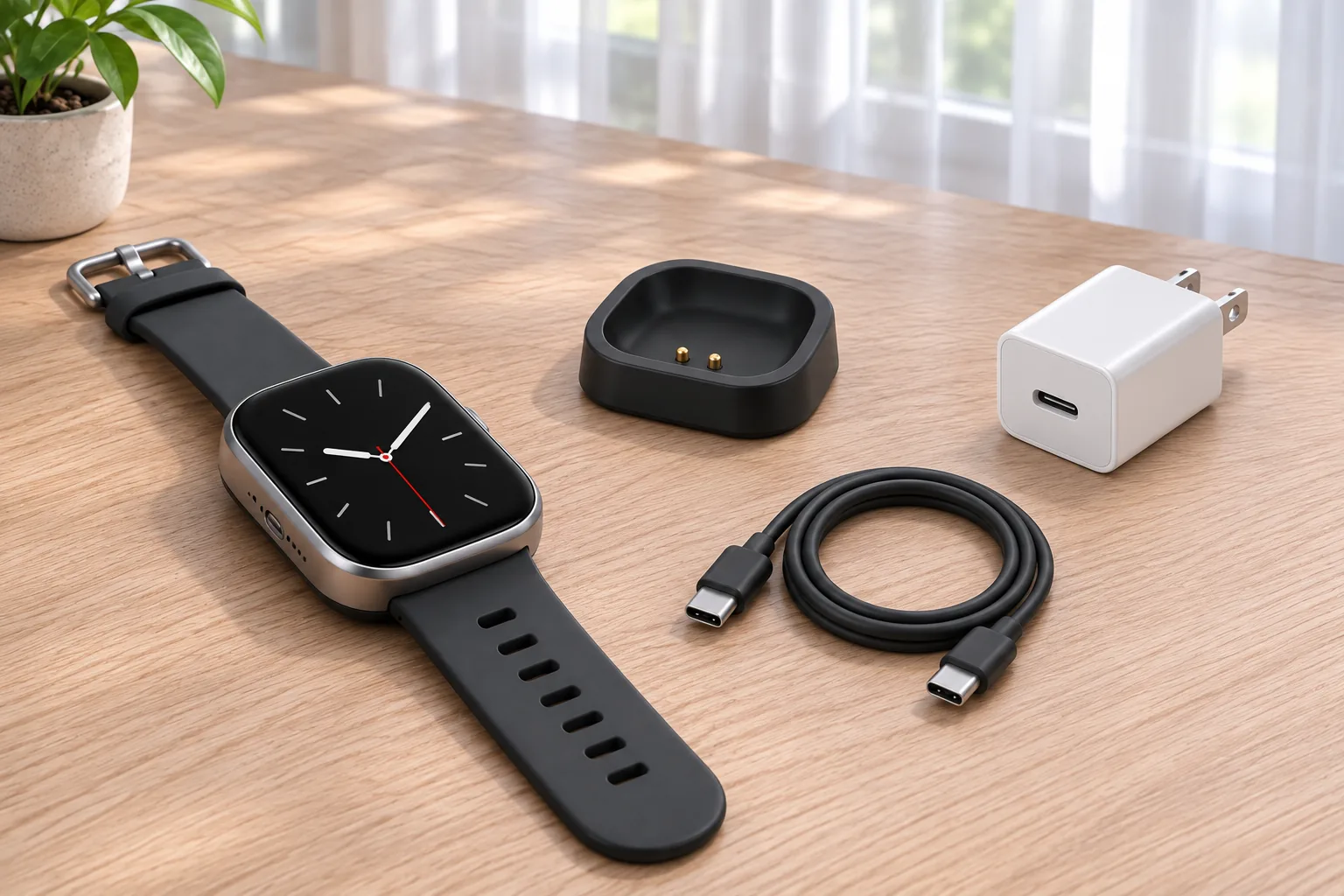
As an Amazon Associate, we earn from qualifying purchases. If you need a replacement charger for the Amazfit Bip 6, look for Amazfit’s separate “Active 2 & Bip 6 Charging Dock” option. It is the official accessory listing that names the Bip 6. The dock uses two charging contacts against the back of the watch; a USB-C cable connects the base to power, and Amazfit recommends a power adapter rated for at least 1 A.
This is a source-based guide; ProperlyGeek has not performed a hands-on charging test.
On this page: Which charger fits · Cable and power · Charging steps · Troubleshooting
The key buying detail is the exact model label. Amazfit sells several different watch chargers on one broad accessory page, so a product title that says only “Amazfit charger” or a puck that looks similar is not enough evidence of Bip 6 compatibility.
Which charger fits the Amazfit Bip 6?
Choose the official Amazfit accessory named Active 2 & Bip 6 Charging Dock. On the Amazfit US charging accessories page, it appears as a selectable option alongside separate docks and older “Charger A” and “Charger B” choices. Select the Active 2 & Bip 6 option specifically; do not leave the page on a default variant or infer that another charger fits from the brand name alone.
Amazfit’s official dock details identify Active 2 and Bip 6 as the compatible devices, describe the contact interface as 2-pin, and say that a USB cable is not included with the replacement dock. The Bip 6 manual describes the watch’s rear metal contacts aligning with the charging base. The official product name and two-contact interface are useful checks if you are comparing product photos or replacement listings.
The watch’s manual calls the accessory a charging base or puck, while Amazfit’s current shop calls the selectable replacement a dock. Those labels refer to the Bip 6’s same model-specific charging accessory in these sources. They do not mean that every Amazfit puck or dock is interchangeable.
What cable and power adapter does it need?
The Bip 6 manual says to connect the charging base to a power adapter or computer with a Type-C USB cable. The replacement dock listing says the cable is not included, so plan on having a compatible USB-C cable as well as the dock. Amazfit’s Bip 6 product page also notes that the original watch package includes the charging base but no cable.
For the adapter, Amazfit recommends one with charging current of 1 A or above for optimal charging efficiency. The manual separately lists the watch’s input as DC 5 V, 500 mA. These figures describe different points: the manufacturer’s recommended adapter capability and the watch’s stated input. They are not instructions to search for a different model’s proprietary charging cable, and the manual does not specify a special fast-charge protocol.
The practical setup is simple: use the Bip 6-compatible dock, connect it with a Type-C USB cable, and power it from an adapter or computer port. Avoid assuming that a dock intended for a different Amazfit family is compatible just because it also uses magnets or has a similar-looking cable.
How to charge the Bip 6
- Make sure the charging base is dry before connecting it.
- Connect the base to a power adapter or computer with the Type-C USB cable.
- Place the watch in the correct direction and position so the two metal contacts on its back sit closely against the dock contacts.
- Check the watch screen for charging progress.
That procedure follows the manufacturer manual. If you use a replacement cable, ensure it is securely connected at both ends. The Amazfit Bip 6 product page estimates 1.5–2.5 hours for a full charge from empty; the actual time can vary with the power source and battery state.
Quick troubleshooting if it will not charge
Start with the two things Amazfit calls out: dry the base and realign the watch so its rear contacts meet the dock contacts. Then check that the Type-C cable is seated securely at the power source and the base. If it still does not start charging, try a known-working USB-C cable or computer/adapter connection to rule out a cable or port problem.
Do not try a different Amazfit charger simply because it is magnetic. On the general Amazfit charging accessories page, the older Charger A and Charger B device lists do not name the Bip 6, and Amazfit tells users not to charge products with options not marked compatible. The safest source-backed replacement choice remains the explicitly labeled Active 2 & Bip 6 Charging Dock.
Frequently asked questions
Does the Amazfit Active 2 charger work with the Bip 6?
Yes, when it is the official charging dock specifically listed for Active 2 & Bip 6. Amazfit names both devices as compatible with this accessory. Do not generalize that to every charger sold for another Active or Bip model.
Does the Bip 6 charger come with a cable?
The official replacement dock listing says the USB cable is not included. The Bip 6 package information also lists its charging base without a cable. You need a Type-C USB cable to connect the dock to a power adapter or computer.
What power adapter should I use?
Amazfit recommends an adapter with a charging current of 1 A or above for optimal charging efficiency. The watch manual lists its input as DC 5 V, 500 mA. Follow those manufacturer instructions; the manual does not describe a separate proprietary fast-charge requirement.
Can I use a generic magnetic Amazfit charger?
Only if its exact listing identifies Bip 6 compatibility. Amazfit sells multiple charger types and warns against using options that are not marked compatible. Similar appearance or a shared brand does not establish that the contact layout matches.
Replacement checklist
- Select the official Active 2 & Bip 6 Charging Dock option, or a third-party listing that explicitly names Bip 6.
- Confirm the dock has the two-contact interface intended for the Bip 6.
- Have a Type-C USB cable available; the official replacement dock listing says it is not included.
- Use an adapter with at least 1 A rated charging current, as Amazfit recommends.
- Keep the base dry and align the watch’s rear contacts when charging.
You can open Amazfit’s official charging accessory listing and select the exact Active 2 & Bip 6 dock option. The storefront selection is not a guarantee of delivery to every address; confirm your location and the chosen variant at checkout.
Header image: AI-generated editorial illustration, not a product photograph or test setup.
Sources: Amazfit Bip 6 Product Manual, Amazfit US Charging Accessories, Amazfit official Active 2 & Bip 6 dock details, and the Amazfit Bip 6 product page. Read our editorial policy and affiliate disclosure.